
Show the bug
Start one step before the bug. Do the action once. Stop when the problem shows up.
This makes a short loop. The person fixing the bug can see the problem right away.
- Get the screen ready
Open the right page. Use safe test info if you can.
- Record the problem
Grab only the area you need. Do the steps once.
- Say what should happen
Write one short line about the right result.
- Say what went wrong
Write one short line about what you saw instead.
Copy this bug report template
Replace each placeholder with a short, specific answer. A descriptive title plus exact reproduction steps, expected behavior, and actual behavior gives a maintainer a useful starting point.
## What happened
Describe the problem in one or two sentences.

## Steps to reproduce
1. Open ...
2. Choose ...
3. See ...

## Expected result
Describe what should have happened.

## Actual result
Describe what happened instead.

## Environment
- App version:
- macOS version:

## GIF or screenshot
Drag or paste the file here.
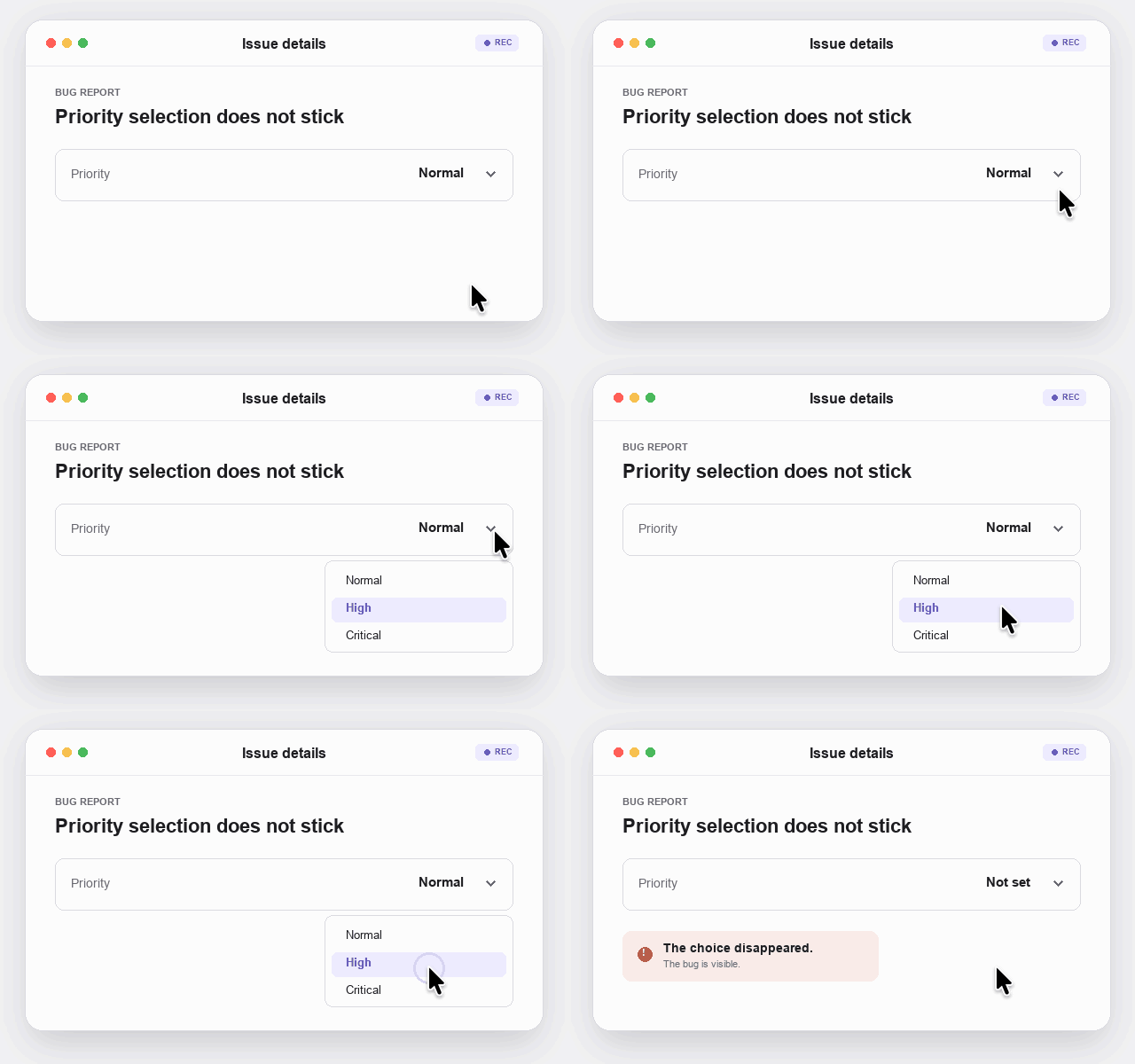
What a useful bug GIF looks like
Keep the frame close to the broken control and show the setup, action, and incorrect result once. The viewer should understand the failure without scrubbing through a long recording.
Keep private things out
Use a test account when you can. Keep names, email, passwords, and secret keys outside the box.
GifJot keeps the file on your Mac. The place you paste it may not. Check before you share.
GIF, PNG, or video?
- Use a GIF for one short action.
- Use a silent MP4 for a longer motion capture or smaller file.
- Use a PNG for a still problem.
- Use an audio-capable video tool for a long story or sound.
Sources
- GifJot on GitHubSee how GifJot records GIFs, silent MP4s, and PNGs.
- GitHub: Issues quickstartGitHub recommends reproduction steps, expected results, and actual results for bug reports.